LoRa Node with Arduino and Dragino Shield
We all know Arduino so the bases are covered. Just plug-on :) the LoRa Shield. It uses RF 868MHz, a public bandwidth European Low Power Networks (LPWAN) for communicating on LoRaWAN. The Dragino Lora Shield is a long range transceiver on a Arduino shield form factor. The Lora Shield allows the user to send data and reach extremely long ranges at low data-rates.
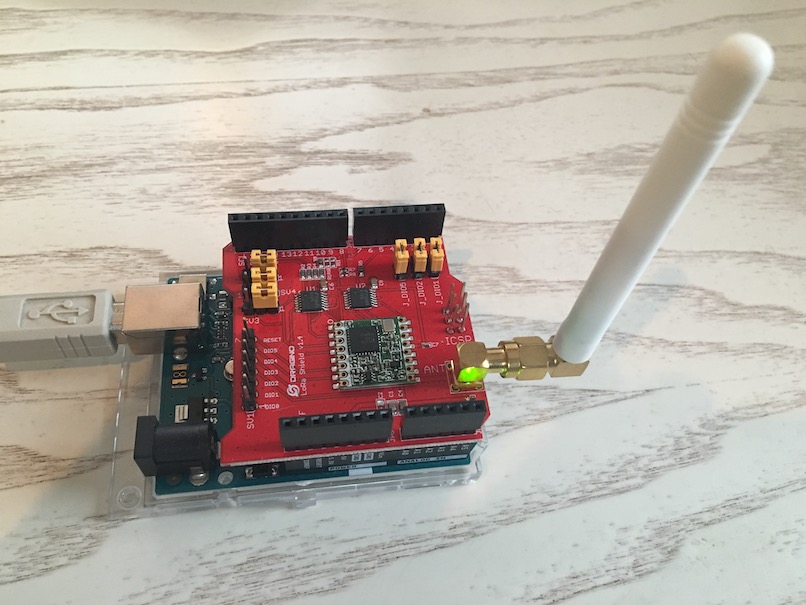
Okay, I got that last 2 sentences from here :)
Connect to The Things Network (TTN) LoRaWAN
LoRaWAN is a protocol designed for creating large-scale public networks; the technology allows for sensors to talk to the internet without 3G or WiFi. Instructions to connect are plentiful. Or do as the guy with the swiss accent.
Arduino.app
I import this library (more on installing additional Arduino Libraries). Also I use this example as sketch to upload to the LoRa Node (-eq Arduino + Shield). For one it has a different pin mapping then the example on the local path (after importing the lib) Arduino > Libraries > IBM_LMIC_framework > examples > ttn > ttn.ino. Almost forgot to select the right serial port (usb in this case) and open the Serial Monitor :( but after that all was fine.
